Top Security Practices to Protect Yourself While Shopping Online

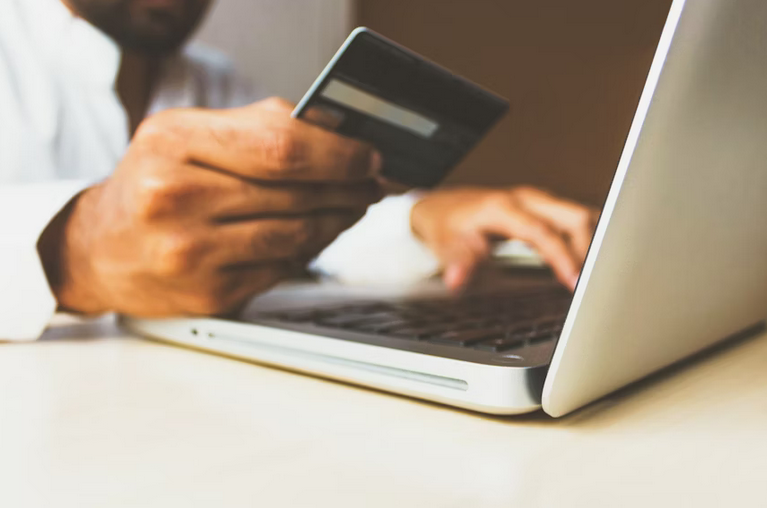
In today’s fast-paced digital age, online shopping has become second nature for many consumers. The convenience of browsing, comparing prices, and making a purchase from the comfort of one’s home has revolutionized how we approach retail. However, with this convenience comes an increase in cyber threats, scams, and fraud. Knowing how to shield yourself while shopping online isn’t optional—it’s vital. Staying alert and applying sound safety strategies helps safeguard your data, identity, and finances. By incorporating smart behaviors and using trustworthy platforms, you can enjoy the benefits of e-commerce with fewer worries. Below are six effective practices that can significantly minimize risks and help you enjoy a safer shopping experience across various online platforms and services.

Shop Only From Trusted Websites

website

One of the most basic yet often overlooked safety practices is to buy from reputable and verified websites. Well-known retailers usually have built-in security systems that protect your personal data and payment details. Look for signs such as a secure HTTPS connection and recognizable payment options. Avoid unfamiliar sites that offer unbelievable discounts or appear hastily designed. Stick with platforms that have clear contact information, return policies, and customer reviews. These indicators often reflect a company’s legitimacy and reliability.

Use Strong, Varied Passwords

Using a single password across multiple shopping platforms leaves your accounts vulnerable. If one site is compromised, hackers may access your data on other accounts. Creating distinct, complex passwords for every online retailer is a simple but powerful way to block unauthorized access. Incorporate upper- and lowercase letters, numbers, and symbols. Consider having a reliable password manager to track different credentials without sacrificing convenience.

Activate Two-Factor Authentication

Two-factor authentication or 2FA offers an additional layer of protection beyond your password. When enabled, it needs a second form of identification—often a code sent via SMS or an authentication app—before access is granted. This additional step helps prevent cybercriminals from entering your account even if they’ve cracked your password. Many e-commerce platforms now offer this feature, and using it significantly strengthens your online defenses.

Avoid Public Wi-Fi for Transactions

Public Wi-Fi might be convenient, but it poses serious risks when used for financial transactions. These networks are often unencrypted and can expose your sensitive data to cybercriminals lurking nearby. If you must access shopping platforms while on the go, consider using your mobile data or a secure Virtual Private Network (VPN). This reduces the chance of your login credentials or payment details being intercepted.

Monitor Financial Statements Regularly

Regularly checking the bank and credit card statements can help you detect unauthorized transactions early. Look out for small, unrecognized charges—they may be test payments by scammers gauging if your card is active. Report any unfamiliar activity to your bank or credit card provider immediately. In some cases, quick reporting can stop further misuse and potentially recover lost funds.

Be Wary of Phishing Attempts

Cybercriminals often disguise malicious links or fake websites as promotional emails or limited-time offers. These messages may look genuine but are designed to harvest your login details or payment information. Always double-check the sender’s email address and avoid clicking on suspicious links. Instead of following the link directly, manually type the store’s official URL into your browser. Also, resist downloading attachments from unknown sources, as they could carry malware.

Staying protected while shopping online doesn’t require elaborate tools or technical knowledge—it comes down to smart decision-making. By adopting the six practices outlined above, you can drastically reduce your vulnerability and enjoy the benefits of online retail with more confidence. From choosing secure platforms to enabling protective features like two-factor authentication, every precaution adds to a safer shopping experience. Make these practices a part of your digital habits and stay one step ahead of online threats.…

Creating a Smile Online

Creating a Smile Online: Essential Elements of Dental Website Design

Creating a standout dental website is crucial in today’s digital landscape. Your online presence serves as the first impression for potential patients. With so many options available, how do you ensure your practice shines? The right design elements can transform an ordinary site into a powerful tool for attracting and retaining clients. Dental Website Design is known to be crucial for growing your practice. If you do not know how to do it, hiring an expert is essential. From easy navigation to eye-catching aesthetics, each detail plays a vital role. Let’s dive into the essential components that will help craft an inviting and effective dental website. Whether you’re starting from scratch or looking to revamp your current site, these tips will guide you toward creating a smile online that reflects the care and professionalism of your practice.

User-Friendly Navigation

Creating a Smile OnlineUser-friendly navigation is the backbone of any effective dental website. Visitors should easily find what they need without frustration or confusion. Clear menus, logical layouts, and intuitive pathways lead potential patients to essential information. Consider organizing your site into categories like services, patient resources, and contact details. This structure helps users locate relevant content quickly.



Use concise labels for menu items—simple wording goes a long way in enhancing clarity. Incorporating a search bar can also help those who prefer specific queries over browsing through multiple pages.

Responsive Design

Responsive design is crucial for any dental website. With most users accessing sites through mobile devices, a flexible layout ensures that your content adapts seamlessly to different screen sizes. Imagine someone searching for a dentist on their phone while on the go. If your site doesn’t look good or function well on their device, they will likely leave and find one that does.  A responsive design enhances user experience, allowing visitors to navigate easily without zooming in or scrolling awkwardly. This functionality builds trust and encourages potential patients to explore more of what you offer. Moreover, search engines like Google favor mobile-friendly websites in their rankings.

Professional Aesthetics

A dental website should reflect professionalism and trustworthiness. The design elements you choose play a significant role in establishing this image. Start with a clean layout that avoids clutter. A well-organized site makes it easier for visitors to find information quickly. Color schemes are crucial too. Soft, calming colors can evoke feelings of comfort while still maintaining an air of authority. High-quality images contribute to the overall aesthetics.


Call-to-Action (CTA) Buttons

Call-to-action buttons are crucial for any dental website. They guide visitors toward taking specific actions, like booking an appointment or requesting more information. A well-designed CTA stands out. Use contrasting colors to ensure they capture attention immediately. The text should be clear and concise, prompting users with phrases like “Schedule Your Visit” or “Get a Free Consultation.” Placement matters too. Position your CTAs prominently on the homepage, service pages, and even blog posts.

Creating a compelling dental website goes beyond aesthetics. It’s about crafting an experience that resonates with visitors and encourages them to take action. A user-friendly navigation system ensures that potential patients can easily find what they’re looking for without frustration. Meanwhile, responsive design guarantees accessibility across all devices, making it easier for users to engage with your content. Investing time and resources into these essential elements can significantly enhance your online presence and patient engagement. By focusing on usability, responsiveness, aesthetics, and clear calls to action, you’ll create a digital smile that mirrors the confidence you instill in every patient who walks through your door.…

caharcters

How to Play Among Us on PC

Are you up for a suspenseful and thrilling game that requires you to be strategic and observant? Among Us is a popular multiplayer game that has gained worldwide success. In this game, players are tasked to work together with their teammates to complete tasks on a spaceship. However, one member of the spaceship is an imposter who has the goal of sabotaging the team’s tasks and killing other players without getting caught.

Seems fun enough? If you want to experience playing Among Us on PC, you’re in luck because we’ll teach you how to do so using the NoxPlayer emulator. That’s right. You need an emulator to play this game since it’s designed for mobile users. But wait, there is more. You’ll learn all the good things about the game and how to play it.

The Sleek UI/UX of Among Us

From the moment you launch the game, you’re greeted with an intuitive and visually appealing interface that instantly immerses you in its quirky space-themed world. Navigating through the various menus is a breeze, thanks to well-placed buttons and clear icons. The UI design strikes a crazily perfect balance between simplicity and functionality, allowing players to effortlessly access essential features such as creating or joining games, customizing characters, and managing settings.

Moreover, Among Us excels in providing a seamless user experience. Whether you’re playing on your phone or emulating it on a PC using the NoxPlayer emulator, the controls are extremely responsive and super easy to grasp. Moving your character around feels smooth and fluid, ensuring that gameplay remains engaging throughout.

Mobile Optimization

This game also ensures compatibility across different devices while maximizing performance and responsiveness. This includes your mobile device. Among Us has simple tap and swipe mechanics, which need to be responsive and intuitive on mobile devices. This allows players to perform tasks efficiently without any frustrating delays or inaccuracies. Additionally, by reducing unnecessary effects and adjusting settings based on device capabilities, developers can ensure that Among Us runs seamlessly without draining too much battery power.

Mobile Optimization

Voice Chat and Communication Features

In order to effectively work with your crewmates or deceive them as an impostor, you need to be able to communicate quickly and efficiently. Luckily, Among Us offers a built-in voice chat feature that allows players to talk in real-time during gameplay. This feature is so handy when trying to coordinate tasks, share information about suspicious behavior, or simply socialize with your fellow players. The voice chat feature in Among Us adds a whole new level of immersion and strategy to the game.

How to Play Among Us on PC Using NoxPlayer Emulator

As mentioned, this game isn’t developed for PC users. So you need to an Android emulator to play this game on PC. To download for Windows, simply download and install NoxPlayer from their official website. Once installed, launch it and search for “Among Us” in the Play Store within NoxPlayer. Download and install Among Us like you would on a regular Android device.

Now that you know how to play Among Us on PC using NoxPlayer Emulator, it’s time to gather your crewmates (or impostors) and start uncovering mysteries together. Enjoy this addictive game with enhanced graphics, smoother performance, and seamless communication – all thanks to Noxplayer’s amazing features.…

computer

How to Get Inskam on PC

Ever wanted to explore the tiny corners of your home or office but couldn’t fit your head in? Or maybe you’re a DIY enthusiast who wants to inspect the inner workings of machines and gadgets. Whatever your curiosity may be, if you download inskam on Windows, you can have full access to its endoscope camera.

And even better news, now you can use this app on your Windows PC easily with the help of the LD Player emulator. In this guide, we’ll guide you on downloading the Inskam app on pc using an LD Player emulator and using the Inskam endoscope for all your inspection needs. Let’s explore the tiniest world we’ve never seen before.

What Is Inskam App Used for?

ladyThe Inskam app is a powerful tool that lets you turn your smartphone or PC into an endoscope camera. This innovative app can be used for a variety of purposes, from exploring the nooks and crannies of your home or office to inspecting the inner workings of machines and gadgets. One popular use case for the Inskam app is plumbing and electrical inspections. Instead of dismantling pipes or wiring, you can simply insert the endoscope camera and get a clear sight of what’s going on inside without causing any damage.

How to Download and Install Inskam App on Your PC

To download and install Inskam App on your PC, you will need an emulator. LD Player Emulator is a popular choice for running Android apps on Windows PCs. Firstly, download the LD Player Emulator from their site and get it installed on your PC. Once installed, open the emulator and navigate to the Play Store. From there, search for “Inskam” in the Play Store search bar. Once found, click on “Install” to begin downloading Inskam onto your PC through the emulator.

After installation is complete, launch Inskam from within LD Player Emulator. You’ll be prompted to grant permissions during first-time use of this app which includes camera access. You can now use Inskam Endoscope with all its features just as if you were using it on an Android phone or tablet.

How to Use Inskam Endoscope?

Using the Inskam Endoscope is simple and straightforward. Once you’ve installed the app on your PC, connect your endoscope camera to it via a USB connection. The app will detect the camera automatically and display a live feed of whatever it’s pointed at. To adjust the focus, simply turn the dial on the side of the camera. You can also toggle between different modes – photo or video – using buttons on the screen. Once you’ve taken photos or recorded videos, they’ll be saved to your PC’s storage in high-definition resolution for future reference or sharing with others.

How to Connect My PC to Inskam Endoscope Camera?

workingConnecting your PC to the Inskam endoscope camera is not that hard, but still a crucial step in using this device for inspection purposes. Firstly, ensure your computer has Bluetooth capabilities or an available USB port to connect the camera cable. If not, purchase a Bluetooth adapter or a USB-to-micro-USB adapter beforehand. Next, turn on your endoscope camera and enable its Wi-Fi signal by pressing and holding the power button until the LED lights start flashing rapidly.

Open your PC’s Wi-Fi settings and search for available networks. You should see “inseam” as one of them. Connect to the “inseam” network by clicking on it and entering the password provided in the user manual (usually 12345678). Once connected, open up any web browser and type “192.168.1.1” into the address bar, followed by enter.

You’ll be redirected to Inskam’s homepage, where you can now view live images from your endoscope camera on your computer screen. Getting Inskam on your PC using the LD Player emulator is a convenient way to use Inskam Endoscope. With Inskam installed on your computer, you can easily inspect and diagnose hard-to-reach areas.…

mailbox

Warning Signs of a Phishing Email and How to Stay Away From It

If you’re investing in cryptocurrencies, you may choose Hypeverse for its user-friendly features. You can read NoBSIMReviews hyperverse reviews here. But you also need to be aware of various phishing that will put you at risk. Phishing emails are becoming more and more common, and it is essential to know how to stay safe online. Phishers are criminals who attempt to steal your personal information by sending you fake emails that look like they are from a legitimate company. The emails may ask for your login information or trick you into clicking on a malicious link. This blog post will point out the warning signs of a phishing email and how to stay safe online.

Inconsistencies in Email Addresses, Links, and Domain Names

emailOne of the most common warning signs of a phishing email is inconsistencies in email addresses, links, and domain names. If you receive an email from a company you do not recognize, check the email address carefully. Phishers often use similar-looking domain names or slightly misspelled versions of legitimate companies’ domain names. They may also use fake email addresses that contain the name of the honest company but with a different domain name.

Sense of Urgency or Threats

Another common warning sign of a phishing email is a sense of urgency or threats. The phisher may try to create a sense of urgency by claiming that your account has been compromised or that you need to take immediate action to avoid negative consequences. They may also try to scare you by claiming that your personal information has been leaked and that you need to take action to protect yourself. These tactics are designed to trick you into taking action without thinking so that you will either click on a malicious link or provide your personal information.

Unusual Requests

It’s important to be suspicious of any email that asks you to do something unusual, such as clicking on a link or opening an attachment. Many phishing emails will trick you into clicking on a malicious link by claiming that you need to update your information or verify your account. Others may try to get you to open an attachment by claiming that it contains essential information. If you’re not expecting an email like this, be sure to check with the company before taking action.


Click Bait to Another Website

emailIf you hover your mouse over a link in an email and the URL that appears is different from what was displayed in the text, this is a sign that the email may be phishing. Phishers will often use shortened URLs or redirects to disguise their true intentions. Be sure to check the URL before clicking on any links in an email.


Staying safe online can be tricky, but there are a few simple steps that you can take to protect yourself from phishing attacks. First, check the email address, domain name, and URL before clicking on any links or attachments in an email. If anything looks suspicious, do not click on the link or attachment and delete the email immediately. You can also protect yourself by keeping your personal information safe and secure.…

hoverboard

Hoverboard: The Future of Transportation

First, let’s talk about what a hoverboard is. It’s a board that hovers just above the ground, using magnetic levitation or some other technology to balance it in midair. Hoverboards are also known as “self-balancing scooters” and “smart boards.” Imagine being able to get from point A to point B without ever touching the ground! You can find some from other websites that have all the latest info on the tech! Here are what you need to know before riding one:

Check the Battery Charge

shoesSince hoverboards use battery power, we must charge them at night time. This way, the battery will be full and ready to go! Make sure you check before leaving for work or school in case you need to recharge your hoverboard overnight.

Read the Manual

We are all as eager as you are to ride a hoverboard, but it’s essential that we read the manual first. It should give us all the safety instructions and let us know what to do if something goes wrong or adjust speeds, turn and rotate, etc.

Remember Your Safety

Always wear your helmet! Remember, this is an electric board, so be mindful of where you are riding at all times. It can be dangerous if you’re going too fast and have to brake suddenly. Be prepared just in case!

Remember There Are Consequences

Don’t forget about what happens when you break more rules than one while on your hoverboard. You could get a ticket or, even worse, an accident that can’t be fixed! Don’t break the law and have fun while you’re at it without causing any damage to yourself or others nearby.


Practice Makes Perfect

Everything requires practice, including using a hoverboard! The more you use it in your daily life, the easier it will become. You’ll need to learn where each button is and how fast or slow you can go without falling off. As with any new skill, learning these things can be difficult but should come naturally over time once mastered.

Watch Tutorials on YouTube

hoverboardThere are some great tutorials on YouTube that you can watch to get started with your hoverboard. Just search “how to use a smartboard” and choose one of the many videos available for free! Hoverboards are becoming more popular every day, so it’s essential that we learn how to ride them safely if they’re ever in our area.
They aren’t as common as bikes or cars, so finding when you need one can be hard. With this in mind, make sure that your hoverboard is charged up and ready for the day!…

sneaker bots

Tips for Using Sneaker Bot Efficiently

Maybe you want to be a sneakerhead, but you are not sure where to start. It is advisable to rent sneaker bot as it can help you to purchase that pair of sneakers you urgently want. However, before you get the bot, you need to carry out extensive research and know how it works.

How a Sneaker Bot Works

sneaker bots newYou will find a sneaker bot to be quite interesting in the manner it works. The idea is reverse engineering whereby the bot takes advantage of the site’s code to get access to the stock of sneakers. Then it mimics human behavior during the buying process. Thus, when you know how to use your sneaker bot efficiently, you can easily access the site and feed it with information it uses for the checkout process. Although you do not need to know about the code, you should know how to use the bot.

You should note that sneaker bots offer many advantages. They are faster than they could ever be. For instance, with a bot, you can cop multiple pairs, which is not possible manually. This makes the process easier.

When using sneaker bots, you need to pay attention to the following:

  • Using multiple shipping and billing information
  • Use of proxies
  • Find the right sneaker servers that can make up for delays or lags you face because of poor internet connection

Make sure you carry out extensive research on the sneaker bot before renting it. That is because there are many unreliable bots out there and they are not free. There is no need of wasting money and time on something that cannot work for you.

After finding the right sneaker bot, you need to download it. In this way, if you have issues or it does not work, then you can find another one. When you find the right one, you only need to put in the link to it and set it on your computer.

Also, you may need to put in the size and style of your shoe. In this way, the bot knows what to find. During the release date, your bot will keep searching the internet to get the right shoes. When the boat finds the sneaker, you will get an automated email to alert you. It will add it to the shopping cart and complete the order.…

soundbar

Factors to Consider When Buying the Right Soundbar

Have you decided to purchase the right soundbar? If yes, you need to identify the right factors you need to consider when making your purchase? These are some of the questions you need to ask yourself before going to shop for these accessories.  Note that with these gadgets, you will take your home entertainment to the next level. Therefore, if you are looking for a cheaper soundbar, here are the buying factors you need to consider.

Check on the Sound Quality

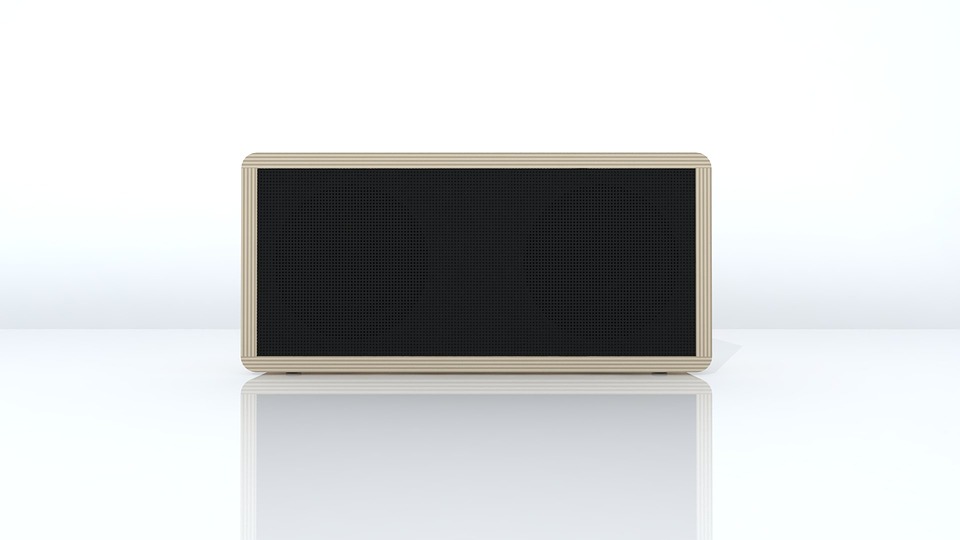
television setIt is crucial to understand that soundbars improve the sound quality of your television. They contain various speakers in one, and they are fitted to one another to come up with a surround sound. You will receive a psycho-acoustic effect from these speakers to help the sound bounce off the wall and offer the bass and punch you want to enjoy in your movies and music. Therefore, this should be one of the main factors you need to consider when shopping for these speakers.


Consider the Size

When buying these gadgets, make sure that you consider checking the size and the general outlook. Ideally, a soundbar is created to fit somewhere in front of the mounted TV, either place on a stand or mounted on the wall. If you need a balanced look, you should choose a soundbar that fits your TV size. In other words, avoid buying a soundbar that is wider or big than your television.

Consider the Connectivity

Another factor that you need to remember when choosing a soundbar under $200 is the compatibility with other devices. In most cases, you will find out that you only need a single cable to connect your soundbar to your television. Even if some models you will find use optical cables, it is crucial to understand that others use HDMI cables. Therefore, it is recommendable that you choose a soundbar that connects more devices. In other words, consider selecting a soundbar that is compatible with almost every device.

Consider a Soundbar with Bass

speaker

At times, you may realize that your subwoofer is not providing the kind of punch that you need. This might be true in most cases, especially if you use a gadget that does not come with a dedicated subwoofer. Therefore, if you want more bass, consider buying a quality soundbar. Various models can offer you the bass that you want. Check the features and choose one with quality and extra bass features.…

pdf doc

Why You Should Consider Investing in a PDF Converter

If you consider investing in a PDF converter, you need to understand that you think of a good thing. With the advancement in the world of technology, businesses are keen to ensure that they can compete effectively. Investing in the right PDF converter has the potential of taking your business to the next level.  For instance, one can convert his PDF files to PowerPoint by using the ViewPDF’s converter. Some people think that you invest in PDF converters only if you are a heavy user. Keep reading to understand why investing in a PDF converter is considered a wise move.

Ability to Repurpose

pdf

We live in a dynamic world, and you, therefore, should not be rigid in terms of decisions that you make for your business. In the business setup, data is very important in determining how you run your business. There will always come those moments where you will find it necessary to repurpose your data. If you do not have the right format for your document, you can be sure that you will have a hard nut to crack. However, with a PDF converter, everything will be flowing flawlessly. This is because PDF format allows for minor editing, making it easier for users to repurpose their data when necessary.

Long Term Solution

Another reason why investing in a PDF converter is an important step is that it offers a long term solution. There will come those moments that you feel you need to make the best out of your data. However, if you were relying on an online converter, there is a possibility that they may not provide you with the solution that you need. One of the causes for this is that online converters have limited usage time, which means that they may not be there for you when you need them the most.

Save Time

When it comes to money matters, time is an important resource. People who fail to manage their time properly end up regretting at a later date, which is not something you would want to go through. Some tools, such as a PDF converter, are designed to help save time. If you know how to use the application properly, it will take the shortest time to have your data in the desired form.save time

The fact that the converter can save you time it means that it is worth your money. It is also worth noting that a PDF converter has special features that can significantly increase the quality of your data and, therefore, add value to your business.…